Games on Command: Making of PEWBALL

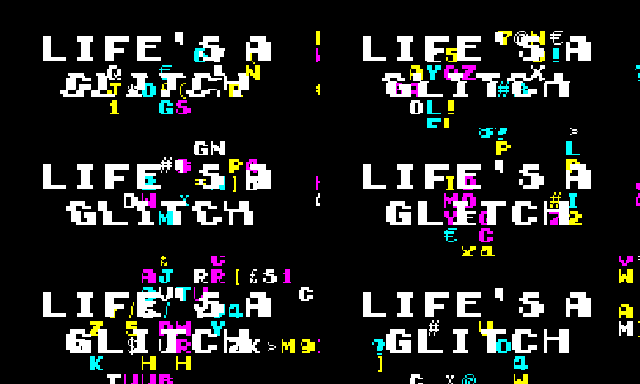
For the month of July, I decided to take part in Floppy Jam as my games jam for that month. Floppy Jam was a small jam with a novel idea, make a game that could fit on a single floppy disk with the total memory capacity of 1.44 MB. I decided to take part but there is an issue, most of my typical development environments could not make a game that small, even if I made a completely procedural game. So I decided I should make a new engine, where it has the most basic elements (graphics, sound and input) in its smallest possible code. That’s when I decided to make a games engine using the command prompt.

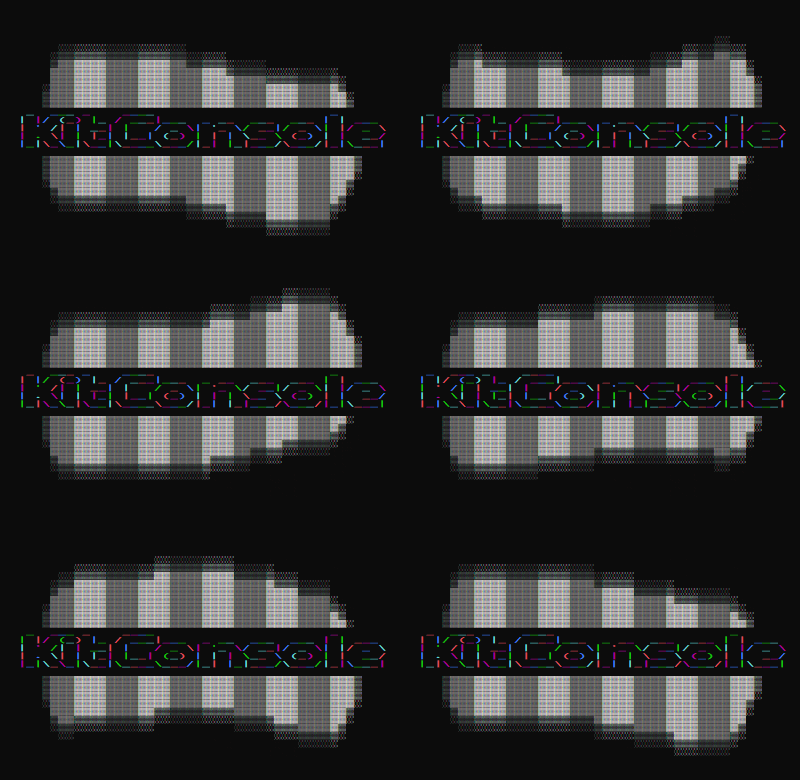
 

The command prompt looks simple, there isn’t much you can output to the console and it’s typically slow, at least not fast enough for real-time smooth rendering. However, that’s if you use the standard iostream or stdio functions. The Windows library actually treats the console window like any standard window, with a handle for both input and output, as well as a screen buffer.

HANDLE hConsole = GetStdHandle(STD_OUTPUT_HANDLE);
CONSOLE_SCREEN_BUFFER_INFO csbi;

GetConsoleScreenBufferInfo(hConsole, &csbi);

SMALL_RECT rectWindow = { 0, 0, 1, 1 };
SetConsoleWindowInfo(hConsole, TRUE, &rectWindow);

COORD coord = { (short)SCREEN_WIDTH, (short)SCREEN_HEIGHT };
SetConsoleScreenBufferSize(hConsole, coord);

SetConsoleActiveScreenBuffer(hConsole);

It is possible to resize the window by shrinking the screen buffer to the smallest possible size, before scaling it up to the size you want. Frustratingly you cannot set the console to any size you want, as there appears to be a restriction that the size cannot be larger than 800×600 pixels. For the game, I ended up using 108×60 characters to make the game the largest widescreen resolution. You can also set the font and the font size, the window title and window position as well, which is enough customization you need even if it’s not possible to get fullscreen or “high resolution”.

Input can be read from the input handler, including focus, mouse and keyboard events. You can also use GetKeyAsyncKeyState() to get real-time input handling. Mouse positions can only be accessed from the input handler.

HANDLE hConsoleIn = GetStdHandle(STD_INPUT_HANDLE);

INPUT_RECORD inBuf[32];
DWORD events = 0;
GetNumberOfConsoleInputEvents(hConsoleIn, &events);
if (events > 0)
	ReadConsoleInput(hConsoleIn, inBuf, events, &events);

for (DWORD i = 0; i < events; i++)
{
	switch (inBuf[i].EventType)
	{
	case FOCUS_EVENT:
	{
		windowFocus = inBuf[i].Event.FocusEvent.bSetFocus;
	}
	break;

As mentioned earlier, using standard text input/output isn’t fast enough for real-time rendering, it’s also rather limiting. What we need is a way to render a full array of characters to the console screen, so how do we do that? And how do we display colour? Well, the best way deals with both birds with one stone, WriteConsoleOutput(). This function writes a full set of characters to the console, but you do not input strings, but a special Character format that allows you to set either ANSI or Unicode Characters, as well as what foreground and background colours for that element in the array. Command Prompts (as well as most pre-installed terminals) give you a maximum of 16 foreground and background colours each, although with the right character sets and other tricks you could create more colours. Once you have set up an array, you just call WriteConsoleOutput, using your console output handler, the array, the size of the array in width and height as well as the area you wish to draw to. A lot of this info I first discovered from the One Lone Coder through his ConsoleGameEngine tutorial series, as well as a header-only roguelike engine called rlutil.

///Buffer Screen
CHAR_INFO *bufScreen;

void drawChar(int x, int y, short c, int color, int bgColor = 0)
{
	if (x < 0 || y < 0 || x >= SCREEN_WIDTH || y >= SCREEN_HEIGHT)
		return;

	bufScreen[y * SCREEN_WIDTH + x].Char.UnicodeChar = (short)c;
	bufScreen[y * SCREEN_WIDTH + x].Attributes = color | (short)(bgColor * 16);
}

///Drawing the full buffer screen array to the console.
HANDLE hConsole = GetStdHandle(STD_OUTPUT_HANDLE);
WriteConsoleOutput(hConsole, bufScreen, { (short)SCREEN_WIDTH, (short)SCREEN_HEIGHT }, { 0,0 }, &rectWindow);

///Clearing the buffer is as simple as setting all the elements to 0.
void clearScreen()
{
	memset(bufScreen, 0, sizeof(CHAR_INFO) * SCREEN_WIDTH * SCREEN_HEIGHT);
}

For timekeeping, an easy way to get efficient time tracking would be to use the standard library chrono. However, to avoid overhead and allow support with older systems, I needed a more specialised solution. Fortunately, I remembered a Windows-specific method of timekeeping from a video by a game developer going by the name TheCherno. While in more recent videos he recommends newcomers to use chrono, in a C++ game engine tutorial he used QueryPerformance functions. Essentially, you call QueryPerformanceCounter(), which will return you a timestamp accurate to the nearest microsecond of the PC’s performance counter. You can get the timestamp from the start of your loop, and another at the end to work out the total time to process a loop. While it is platform specific, because it’s part of the Windows API there is little overhead, and it’s extremely accurate.

bool StartCounter()
{
	LARGE_INTEGER li;
	if (!QueryPerformanceFrequency(&li))
		return false;

	PCFreq = double(li.QuadPart);

	QueryPerformanceCounter(&li);
	CounterStart = li.QuadPart;
	return true;
}

float GetCounterNanoseconds()
{
	LARGE_INTEGER li;
	QueryPerformanceCounter(&li);
	return (float)((li.QuadPart - CounterStart) / PCFreq);
}

float GetCounterMilliseconds()
{
	return GetCounterNanoseconds() * 1000.f;
}

Finally, for sound, I only wanted the simplest implementation I could find. All I needed was the ability to load Wav and Ogg files, and play them in parallel. Fortunately, that is possible with a single library and a header file. Randy Gaul developed a large collection of self-contained systems, each could be used with a single header. This included cute_sound, which does exactly what I wanted. It does have some minor faults such as crashing if you tried to delay a sound, and needs a significant updated to be friendly with modern compilers because of how it uses goto statements, and unfortunately because of how the Vorbis library works you cannot make it header only, but it’s not complex.

void loadAudio(const char* name, unsigned int id)
{
	freeAudio(id);

	const char *dot = strrchr(name, '.');
	if (!dot || dot == name) return;

	if (!strcmp(dot, ".ogg"))
		load_sound[id] = cs_load_ogg(name);
	else if (!strcmp(dot, ".wav"))
		load_sound[id] = cs_load_wav(name);
}

void playAudio(int id, bool loop, float volume, float pitch, float pan, float delay)
{
	cs_play_sound_def_t def = cs_make_def(&load_sound[id]);
	def.looped = loop ? 1 : 0;
	def.volume_left = volume;
	def.volume_right = volume;
	def.pitch = pitch;
	def.pan = pan;
	def.delay = delay;
	cs_play_sound(ctx, def);
}

The engine’s structure is that the user simply defines preprocessors for constant values, and includes a single header to get the engine’s full functionalities. All they need to do is to set up a function for handling updates and rendering (if they want to use real-time functioning) or event handling, and then call a function called run to start the engine. Keeping it like this basically means it’s possible to create tiny demos and games with whatever external tools they want.

When the jam actually started (yes I built a two-header library about a week before the jam began), I wrote basic state management system for the two scenes I wanted (title and game), as well as renderable objects. Each interactable object used a game object struct that had basic physics for movement and collision checks. The pinball environment was achieved by assigning each wall an ID, and that ID also corresponded with the angle of the slope as well as how it appeared. While most other game objects were defined as sprites, an overridden game object that has an array to represent a single static image, the flippers was a special sprite that manipulated that array based on how long a button was held down for. It also had special collision responses based on what stage the flippers were in, which proved a challenge when sprites could easily go through them.

What made working on this engine quite exciting was it really encouraged you to work with proper limitations. Unlike pico-8, where the limitations are hard-coded into the engine and its fantasy console, the command prompt had a small resolution and a limited colour palette purely because it was not intended for real-time rendering and gameplay, and the 1.44MB meant I had to think outside the box to find ways not to use too much memory, although, in the end, PEWBALL was under 400KB (possibly smaller still if I could get a compress heavy linker like crinkler to work).

One way to optimise was to replace having a particle emitter with particle objects with the rand() function and lots of basic maths to work out where particles would be over time. This technique was used for the starfield at the beginning as well as the explosions enemies and the player has in the game. Guns used a simple fixed sized array as an object pooling system, a similar one was also used for the enemies, which had their own struct that could be overridden for unique behaviour. Ogg files were compressed to their lowest quality, which gives them a small file size as well as gives a slightly distorted retro feel, helped by the 8-bit inspired music and sound effects that I used.

While I could have carried on development up to the deadline on August 10th, I needed to get a game finished for July, so I decided to stop on July 31st and submit it, announcing it’s release on August 1st. Little did I know, there was also a voting session that went on for a while. Out of the 25 submissions managed to achieve 7th, and the overall winners were Floppy Bug (In Quality and Design) and Crates in a Crate (in Gameplay). I’m pretty happy with where I placed considering the challenge I had in creating an entire engine, although I’m definitely impressed with Floppy Bug because the team behind it decided to one-up me and create a full 3D OpenGL engine in two weeks that took up 440KB.

Regardless, this one was a rather fun challenge. It kind of makes me want to look into development for other primitive systems, maybe I could try developing for an old console next, who knows? As for Linux, that might not be as possible as I hoped it would be. The problem with Linux Terminals is that they don’t have the same level of control as the Windows Command Prompt. It is possible to do things like resizing the terminal window, draw characters at certain positions and set the colours of characters using ANSI escape sequence strings, however, it isn’t as stable as I once thought, and there isn’t much documentation on getting it to work.

If you want to check out the engine itself, it’s called KitConsole and can be found on Github, and you can check out PEWBALL on Itch.io.
WizardJam – Re(re4ti0n

So June is almost over, and right now I’m writing as SGDQ is going on, but in the few weeks prior I was working on a game for my game-jam of June.

The game jam for this month is Wizard Jam, the seventh jam organised for the Idle Thumbs website and podcast. This was a jam that was fairly relaxed in comparison to most I take part in, being more than two weeks, with a very open themed convention. Instead of a singular theme, your theme is to choose from one of the many episode titles of the Idle Thumbs podcasts, which did take a while for me to pick, but I decided to choose one based on a little experimental project I was working on.

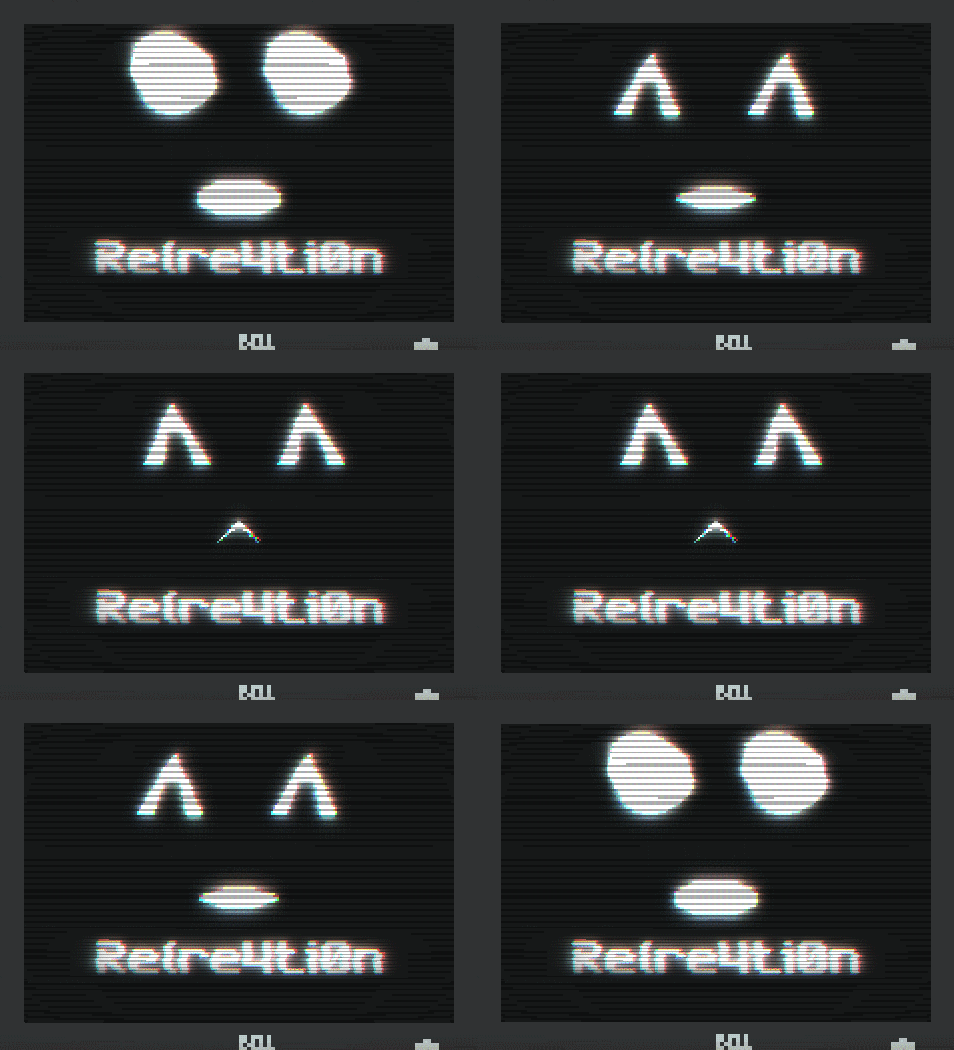
After being inspired from GDC earlier this year, I started work on a simple facial animation system to be used in the feature of a game. It used SFML’s primitive rendering system with interpolation and managed to get it to speak based on a simple string input. Wizard Jam gave me the opportunity to utilise it in a game with the theme “Read Our Lips” to test how effective it is.

The concept was a game where you were given quotes that are incomplete and corrupted, and your goal is to complete them based on your interpretation. The player had a short amount of time to enter their guess before being shown the next one. I went with giving the game a basic layout of an office, with a futuristic computer screen for the input and a faulty old looking monitor for the broken quotes. Thanks to SFML’s sf::Event::TextEntered, it’s incredibly easy to handle text input. It took less than a day to get the concept done, and an additional two days to get the initial layout done.

While I did take one day out to play around with the sfeMovie library, I spent most of the time polishing the existing game concept, improving the visuals and adding sound. I added camera movement so the text would be easier to see for a short amount of time. I updated the backgrounds so I could give a bit of a parallax effect.

The monitor was updated to use a lot of shaders, the title screen used the same amount of shaders. The main distortion shader was felixturner’s bad-tv-shader, combined with a fish-eye lens and scanline effect. I originally included a noise shader (as you can see in the previous tweet) but I found that darkened the colours so instead replaced it with the bloom shader that I’ve used in Berzerkatron and Gemstone Keeper. Finally, after some feedback, I added a simple chromatic aberration effect by offsetting the colour channels. It appeared to create an old and broken monitor effect that seemed to get some good impressions from people I showed it off on Discord servers.

There is no music for this game, just sound effects and ambient noise. Most of them were sourced from soniss’ GDC audio libraries, with some additional royalty free sounds for TVs and crowds. The name was kind of inspired by l33t speak, as I wanted to summarise the concept of the game (restoration/recreation) with the distortion you deal with.

The gameplay flow of having two minutes to guess as many quotes correctly was actually the last moment idea, originally you had to guess five random quotes with fifteen seconds each, but I felt that made the game too short for anyone finding it easy. One game dev on the Birmingham Indie Dev Discord suggested also making each quote progressively harder to start, but each would slowly become easier over a period of time. That way the game starts easy but gets difficult, but the currently displayed quote will slowly fix itself if you let it wait.

I was hoping to polish up the game a bit more over the weekend, but I went out to a party that unfortunately ended with the theft of one of my bags. While nothing game dev related was stolen, an expensive costume that I wear for public events was taken and it’s been reported to the authorities, although that didn’t stop the moment from dropping my emotional and motivational drive. I did get some last finishing touches done and missed the deadline by a few seconds, however the host was able to add Re(re4ti0n to the jam submission list the following morning.

You can play Re(re4ti0n by clicking the above image or right here.

Roguelikes and a Faulty Computer

I hope things are going well with all those who read this, whether it be while hard at work or relaxing while browsing their social media. Since GDC 2018 happened, it took a while to adjust me back to a work routine. It didn’t help that the week after I returned to the UK I was off to Bristol celebrating a four-day weekend with friends and family for my birthday. Fortunately, with my day job going on, I have managed to recover from jetlag and get back into a coding routine with some bumpy roads. I figured it’d be good to detail what went on up to now.

RDDL

The Games Jam for March was the Seven Day Roguelike (or 7DRL for short). This is a long-running one-week games jam dedicated to the roguelike genre. This year was the first year they hosted the jam on itch.io, instead of the Roguetemple forums and other hosting services that had since gone defunct.

The first time I took part in 7DRL was in 2016 with Dungeon Racer, while I was glad to get a game done using my engine for the first time since Gemstone Keeper’s early demos, in hindsight the concept was a bit too out of reach for me without preparation. This time I decided to do a bit more of a simple roguelike.

RDDL (pronounced Riddle) was originally going to be a dungeon based roguelike in the style of the Crystal Maze, where the player would have to find a key in each room to progress. Health would decrease over time and the only way to regain health was to either find it through treasure or defeat enemies. I used the GenLevelTools like I did previously, however, I noticed how lacking some of the features are (particularly with tilemap generation).

I ended up using the tile mapping system for this, which worked well with the tilesets made for Dwarf Fortress. I had considered adding the ability to change tilesets like I did previously with Dungeon Racer but I ran out of time. I also got to take advantage of GL-Transitions again with a cool grid flipping transition, people on the roguelikes Discord liked it so I took full advantage of it.

Overall it’s great to get a proper working roguelike, especially one that people would undisputely call a roguelike unlike my previous games. As of writing, voting has just ended on all entries, so you can check out how well it did on itch.io. Feel free to check out all the other entries too!

Speaking of previous games…

Gemstone Keeper: One Year On

As March 31st of this year is the one-year anniversary of the release of Gemstone Keeper on Steam, I figured it was a good idea on Twitter to talk about how it’s done and what I should learn from it. You can check out the start of the thread below.

I was inspired by Eniko of Kitsune Games to do this, after a tweet she posted on how stressful being an indie developer was. I feel it’s necessary to let people know that despite the success stories, a lot of stories aren’t as impressive. I still maintain that Gemstone Keeper’s response was positive, considering the circumstances, and I still appreciate the support and feedback people give.

Technical Issues

So on Thursday 5th April, I was reading an article on my main game development and home desktop machine when suddenly I got a Blue Screen of Death. I initially thought this was typical, at least until the machine restarted and would go to a blank screen. I tried restarting again and the same blank screen appeared. I checked the bios and the hard drive looked fine, but the same blank screen.

Then after taking out all other drives, I tried again and this time it says that there are no bootable drives found… this doesn’t sound good. After a few diagnostics and checking the hardware with the help of some friends, we’ve come to the conclusion that while the hard drive is fine, something happened when the BSOD hit that caused the Windows OS to come corrupted.

The good news is that nothing has been lost. All of my game development work as well as personal files and other, less relevent, projects have all been backed up on either external HDs or online cloud services (meaning that after my last major technical mishap over three years ago, I’ve definitely learned from my mistakes). Not to mention that while I cannot boot into Windows, I am still able to access the HDD using a bootable Linux drive, so anything on it is still salvageable.

As a result of this incident, it’s been decided that it’ll be better to upgrade components of the desktop instead of trying to repair it. The current HDD is a little over six years old, so even if I managed to fix Windows then who knows when the drive completely dies. Plus with more modern components, I can take advantages of any addition performance of say, an SSD for the OS and a HDD for data as opposed to a HDD for everything else.

Hope that clears up everything. Just like to make two short announcements, I’ve began on a new project, development will continue once the upgrades have been finished sometime this week. The next games jam I’ll take part in for April will be Ludum Dare 41.

Enjoy April folks!

Global Games Jam 2018

One of my New Years Resolutions is to take part in at least one games jam each month. This was a goal I set myself so I could develop more variety of games for the year of 2018. For myself, the games jam of January (and first games jam of the year) was Global Games Jam 2018, taking place on site at Staffordshire University in Stoke-on-Trent.

https://static-cdn.jtvnw.net/ttv-boxart/Global%20Game%20Jam.jpg

I’ve regularly participated at GGJ since 2013 at the Stafford Campus, however in 2016 the Stafford Campus eventually closed its doors and all the departments (Computer Science, Game Development, Web Development, Film, TV and Music etc) were all moved to the Stoke Campus. I skipped 2017 after a lot of regular GGJ attendees were put off by travelling to Stoke and hearing that because of security issues they couldn’t allow overnight stay. Near the end of 2017, one of my friends asked if I was interested in going since she was going as well, so I thought “Sure, why not?”.

Stoke Campus has improved a lot since I went there on rare occasions as a Student, and GGJ became a lot more organised on that site. Gone were the days where getting a table or a PC being a free-for-all, as people had to get tickets in advance for what kind of room they want, and each room had plenty of machines with the latest software (especially for Unity and Unreal Engine 4 developers). Gone were the days of little to no security or support since all rooms required a badge to get into (all attendees received badges at the start of the day) and the jam had volunteers available to provide support for the entire 48 hours. Gone were the lack of food and drinks on site as free fruit, tea and coffee were available on site, and with both Subway and the University’s Student Union Bar open all weekend and a short walk from the site.

The games jam began with a keynote, featuring tips & tricks from Unity, an ad for the Amazon Appstore, a celebration of 10 years of GGJ, a talk from Robin Hunicke and an 80s style workout video from Thorsten S. Wiedemann. The audience was riffing the whole keynote up until the theme announcement, which was fun and all but I did feel bad for Robin’s talk as she was giving an inspiring talk that was meant to encourage interesting stories and concepts, but the six minutes of nonstop talking with an unchanging shot of the San Francisco Bay Area bored almost everyone.

The theme was Transmission, and the theme announcement segment implied this could be anything from communication, to mechanical to passing one thing to another. Our team consisted of myself, my friend Kira, programmer James and two 3D modellers, Benz and Matt. We came up with the idea of a twin-stick shooter where you move along sound waves. James did an incredible job of generating sound waves visually using vertex shaders and lining up the player position with the line, Kira created a tone generator for the game to use, and I worked on enemy behaviour, management, bullets, GUI and main menus, and we all chipped in where we could to get the game in a finished state. Benz and Matt worked on the in-game models, as well as a nebula skybox. Here is the progress in tweets:

So we managed to finish with about an hour or two to spare, which is very good for us. I hardly post much about what I’ve worked on at GGJ because in most of the events they end up not finished, but this is the third out of five GGJs that ended up being finished. So here’s our game: Formants

Let’s see what the games jam of February will be.

New Years Resolutions

Good evening everyone! It’s no doubt that 2017 has been a hell of a year following what happened in 2016, but we fought through and we are still here fighting! This year has also been huge in terms of game development for me. I managed to finish SEVEN games this year, six from game jams such as #RemakeJam, PROCJam, Jamchester and Three Ludum Dares!

https://img.itch.zone/aW1hZ2UvMTYzMjc3Lzc1MjE2Ni5naWY=/315x250%23c/L0i8g2.gif  https://img.itch.zone/aW1hZ2UvMjAxMDM1LzkzOTE3OC5naWY=/315x250%23c/q5QpUK.gif

The seventh game was the nearly two year project Gemstone Keeper, which made an initial release on March 31st earlier this year and has since had numerous updates, although grouped together as four updates. The most recent of which was 1.0.4 that was announced on 21st of December. The game is currently on part of the Steam Winter Sale, and is currently 50% off!

Gemstone Keeper also had a second smaller release as it was ported to Linux, the build being available on Steam in June. I documented the progress to port the game in three blog posts (part 1, part 2 and part 3), and got a small amount of coverage from dedicated linux gaming websites as a result.

There was also an accomplishment in travel as well, 2017 was the year I went to both GDC in San Francisco and Develop in Brighton for the first time! Both events were great opportunities to meet up and socialise with fellow game developers and listen to talks from great minds such as Ken Perlin, John and Brenda Romero, Jordan Mechnar and Tim Sweeny.

As for 2018, I want to set some goals. As with many New Years Resolutions, chances are they will be forgotten and unaccomplished, but considering I managed to lose weight this year, I might pull through with a bit of committment.

First one is that I want to take part in at least one game jam a month, meaning I’d be finishing 12 games next year. I like the challenge and creativity from game jams, but this year I feel like six isn’t enough. At least spacing out the game jams to one a month will give me time to find a weekend or so to get my head down and finish something.

Second one is to get a game on console. It’s not like I haven’t bothered trying before (I’ve reached out to Nintendo about developing Gemstone Keeper for the Switch to no avail), but it would be nice to expand my work beyond desktop PCs and web development. Porting my own game to Linux should show how when I put my mind to it, building a game to another platform by hand is possible, and it would be great to show I can do that on one of the three main systems.

Thanks for reading and have a happy new year everyone!

All the jams!

I was meaning to post this sooner, but along with work piling up and losing track, I did quite a few game jams. Three in particular: RemakeJam, Jamchester and Ludum Dare.


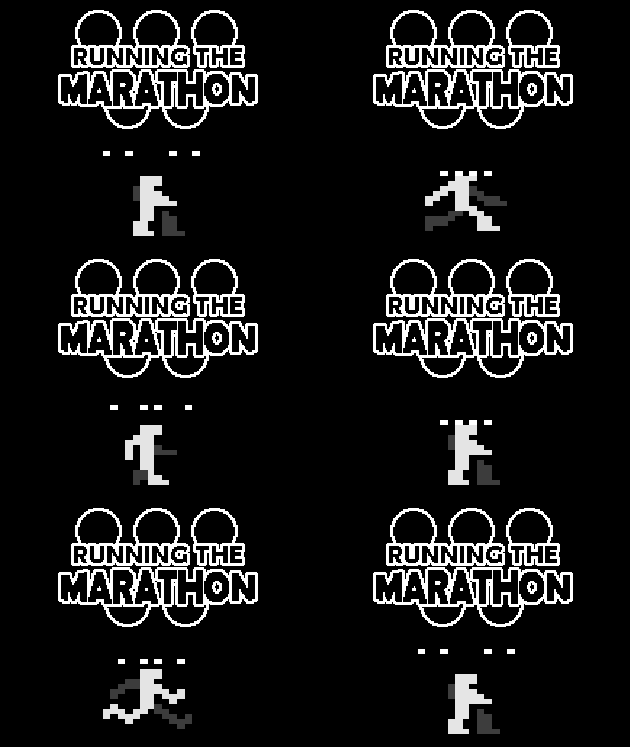
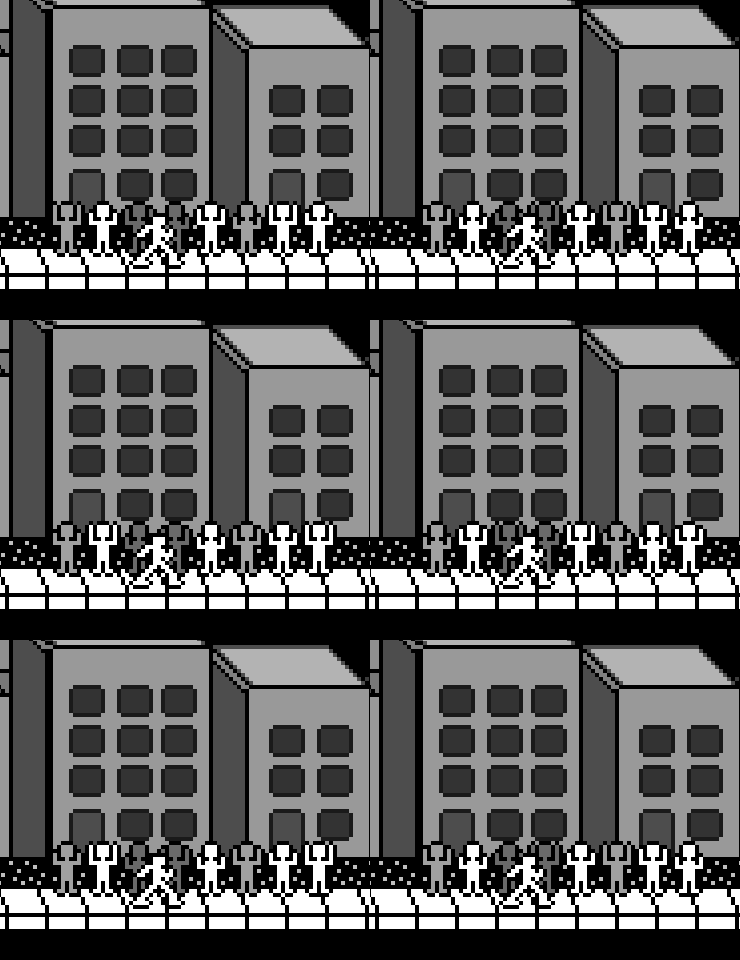
I’ll mention Running The Marathon first, because I only finished the game two days ago from posting. This was made for Ludum Dare 39, which makes it the 10th Ludum Dare I participated (and 9th I submitted a game independently). This was a bit of a last minute entry because until Saturday evening, I had no intention of making something for LD. What changed my mind was a game idea I was coming up with as a joke, running a marathon and making sure you don’t run out of energy. What I ended up with was a bit of a joke on the Track & Field concept, by having rapid button presses make your chances at success worse. Because of how little time I worked on this, the background animations and sounds are lacking, although I do think the running animation on the player turned out okay.

4i8mLl.gif

As is the tradition of Ludum Dare, voting will be going on by all participants for a total of three weeks. Any Ludum Dare entrants can go to the game’s Ludum Dare event page to vote and comment.

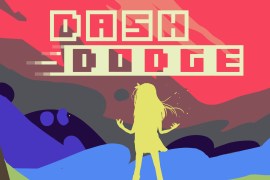
Next I’ll talk about Dash Dodge, which was developed for Jamchester 2017, a professional games jam that I took part in last year. This year, I was in a team which consisted of another programmer & sound designer (Jessica Winters) and two artists ( and ). All in all, this was a great team to work with, and we had a heavily planned out game about combatting bosses using only dashing, with a time travel element, although we may have over-anticipated our goals a bit. Needless to say, we made a game with a nice visual style and some neat mechanics thrown around. Hopefully at some point in the future I would like to work with these three again at some point.

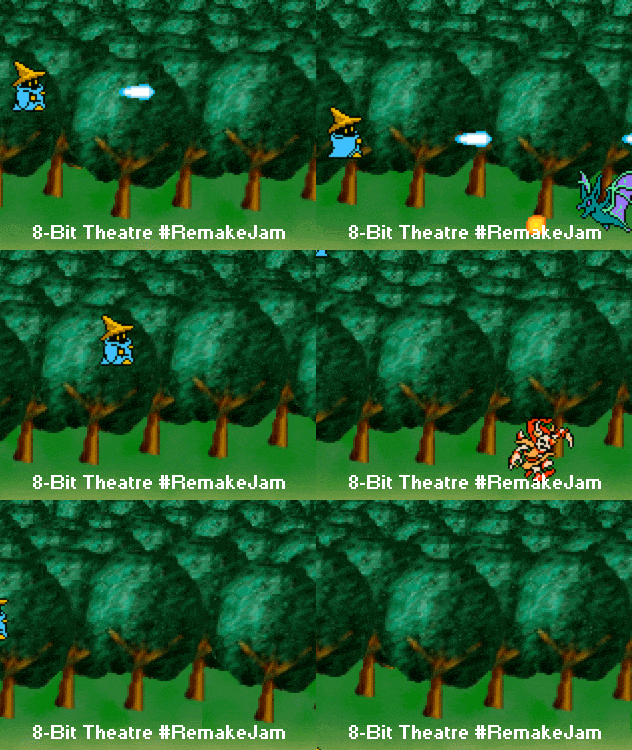
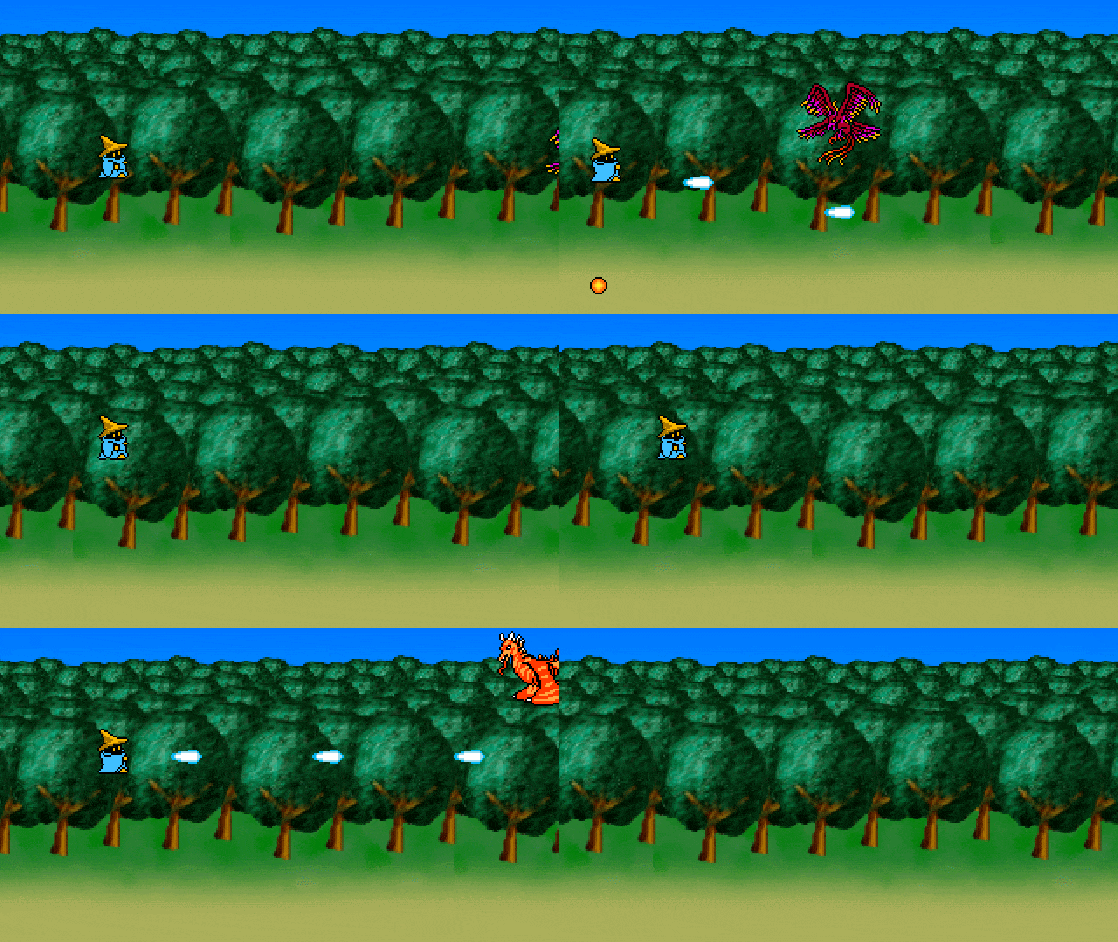
Finally, there is 8-Bit Theater: Black Mage is in a Shooting Game. This game, developed for RemakeJam, is a remake of a previous game of mine. In particular, this is a remake of the first game I ever made from back in 2010. What was great about working on this is that I still have the original source project and most of the original assets and notes, although I did have to dig through Google for a copy of GameMaker 8.1 in order to view the original project. Sadly because of lack of time (I rarely allow full days of focus for these game jams, I’ve noticed), I just about managed to remake the original two levels and boss. This wasn’t for naught though, as way back when it took me over a year to reach this far, and this time I managed to achieve the same amount in less than a week. I also took advantage of my own game framework to try out some technical challenges, such as parallax scrolling.

Game Jams are fun, I like taking part in them for those short bursts of game ideas and development challenges. Sadly participating is made more difficult when my day-job takes priority, but when I get a chance to take part I’d like to take full reigns!

Now time for some voting and other challenges!

Gemstone Keeper – Quest to Linux Part 3 – Gemstone Keeper

Finally, after beginning soon after the game’s Windows release on Steam, and well over a month after I initially wrote my first post about this topic, I’m finally done with porting Gemstone Keeper to Linux (for the most part) and ready to write about what I’ve learned from porting it over. Since both the Framework and Level Generator have been ported, getting the whole game to compile and run wasn’t as confusing as the last two, but that didn’t stop it being tedious.

Continue reading

Gemstone Keeper – Quest to Linux Part 1 – Vigilante Framework

So with Gemstone Keeper on Steam for Windows only, I thought I’d try my hand at getting a game to build to Linux the proper way. This series of posts will hopefully document each part of porting Gemstone Keeper to run on Linux.

https://upload.wikimedia.org/wikipedia/commons/a/af/Tux.png

The last time I made a game with Linux support was Secret of Escape, which used the Node-webkit to run HTML5 games to desktop applications. Node-Webkit essentially was a separate, precompiled application that functioned like a limited web-browser using the Chromium engine, all Construct2 did was build a HTML5 game and structured it in a file structure that made the application run the game. This way, porting the game to Windows, Mac and Linux took very little effort. This essentially means that developing for Linux was a completely new thing for me before releasing Gemstone Keeper.

The first stage was porting the Vigilante Game Framework. This is the underlaying C++ framework that uses SFML to develop games with state management, collision, visual effects and audio effects among others. It was partially inspired by HaxeFlixel, although with some of my own approaches that rely on C++ and SFML, as well as my own features (such as circle collision, multipass post process effects and a custom text renderer). Getting this to work on Linux would help me with setting up SFML and having a good idea of how Linux development worked.

Surprisingly, getting the framework to build on Linux ended up being the easiest part, because someone else already did it! I posted the framework to GitHub, and passed around the GitHub page to Twitter and Reddit, and SirFrankalot on the /r/gamedev subreddit was able to fork it and get it to work in Linux, and provided both written notes and a pull request to carry his changes over! The details can be found here, but these are the main points I wanted to get across:

  • Using Correct Slashes: When using Windows Explorer and Visual Studio, folders or directories will usually be represented with a backwards slash (\). If you are only developing on Windows, this wouldn’t be a problem. However Linux and Mac both always use a forward slash (/), so for portability you should use that. Using forward slashes also has the advantage of not having to deal with escape sequences, since programming languages use a backwards slash (such as \n, \t and \\).
  • For-Loops: These kinds of loops are good for looping a specific number of times using a defined iterator. If that iterator is a list of object or variables, you use a foreach loop, assuming your programming language of choice has that. When using Visual Studio, I found there is a foreach loop in the form of for each (type x in y) where x is a reference to an object in the list, and y is a container like an array or vector. Turns out this way is purely a Visual Studio extension, and the portable foreach loop is for (type x : y).
  • XInput: Microsoft XInput is the API used for Xbox 360 and Xbox One controller, which means that it’s works for Windows only, at least that’s what you would assume. Linux has both libudev and linux/joystick.h, which allows some Linux OSes to access XInput functionality. This would mean a complete rewrite, so SirFrankalot simply made all XInputDevice functions return false. I later found someone wrote a Gamepad API was maintained long enough to allow Xinput Controllers to work on Windows and Linux using the same functions. I’ve since added this on as an optional feature that can be set using a preprocessor.

https://upload.wikimedia.org/wikipedia/commons/3/3f/Logo_Linux_Mint.png

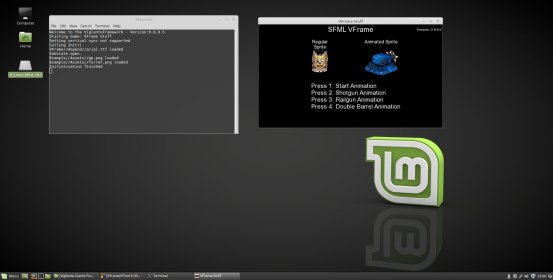
Next was using an IDE, I decided to use Code::Blocks because I have used it before, although it’s still much of a change of Visual Studio. Not to mention I was using a virtual machine, a VirtualBox with Linux Mint 18.1, and for whatever reason my configuration causes it to crash with no warnings. I also had to set up a load of dependancies, although using the terminal to get them is much easier than browsing for libraries online.


In the end I managed to build the SFML tutorial code and a few moments later, VFrame could compile! Aside from some small issues with 3D graphics, it was running almost just like it did on Windows!

Next time, it’ll be my ramblings as I port over the library that makes Gemstone Keeper’s caverns large and random, the GenLevelTools!

Ludum Dare 38 – littleBLASTplanet

Last weekend was Ludum Dare 38, not only is it the 38th main game, as well as the 8th or 10th one I’ve taken part in (whether or not you take into account failed attempts), but it also marks the 15 Year Anniversary of the competition/jam as a whole! Not only is it celebrated with another jam, but with a brand new website. For now you can still access the old website, but game submissions are currently being handled entirely on the new site.

ldjamalpha

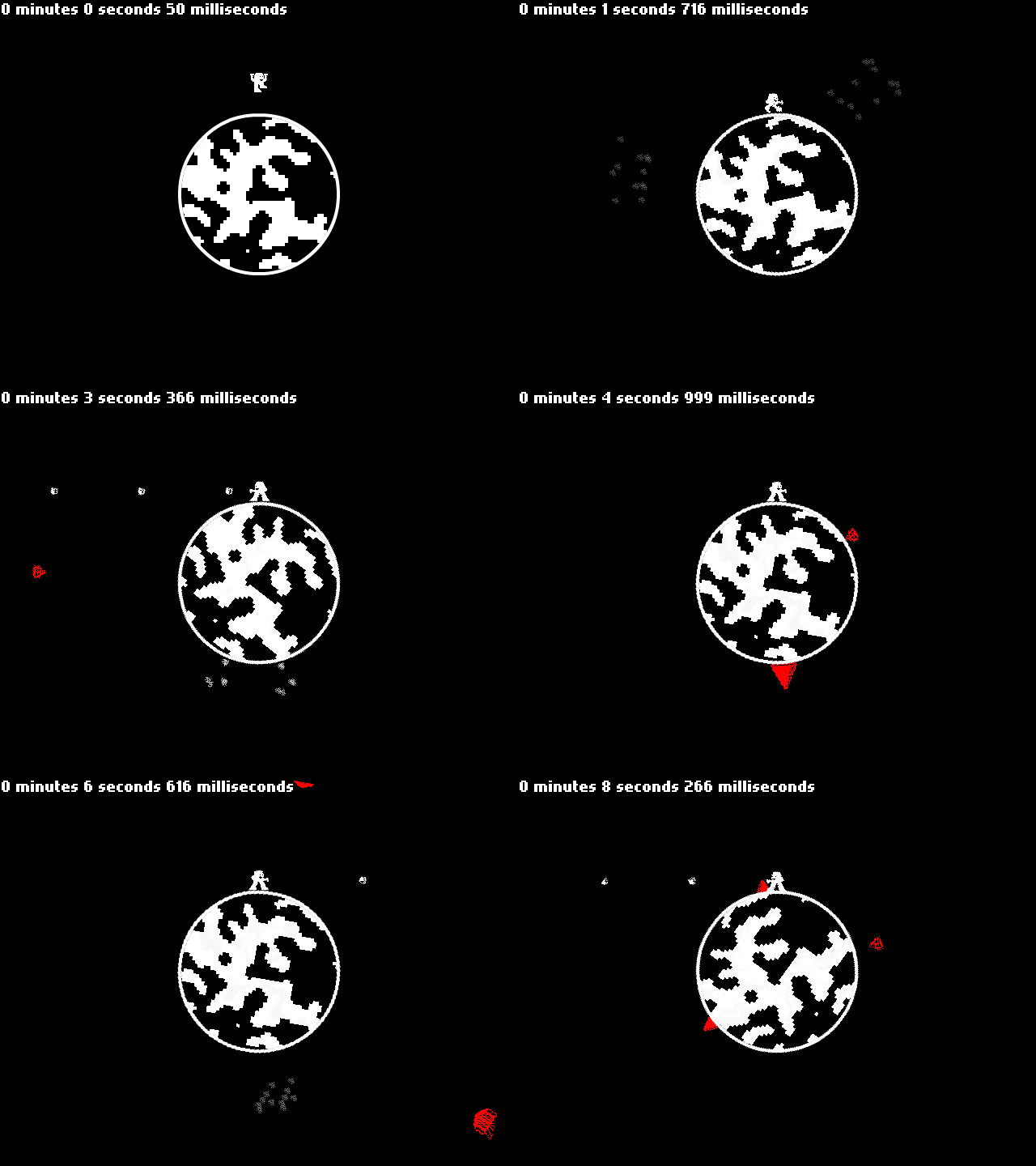
The theme this time around was Small World, so I (like a lot of devs) made a game either around a small game world or a tiny planet. I went with the latter and drew up a run ‘n gun shooter on a little planet.


Sadly I had plans with my friends on Saturday so I didn’t start work on the game until around 8PM GMT, so development felt more rushed than a full games jam but I managed to make what I set out to design: littlePLANETblast

Similar to my past Ludum Dare projects, I used HaxeFlixel. It’s straightforward to use, multiplatform (Flash, HTML, Windows and Android maybe…) and it’s still being maintained so there have been several improvements. I’ve provided the game’s source code on Github so feel free to have a look to see how the game works.

The first problem I had to solve to make this game work is how to make a sprite orbit a planet. HaxeFlixel has a FlxVector object for vector math, so using that with a sprite’s acceleration meant having the sprite fall towards the centre of a circular planet was pretty easy, but how do you get the sprite to stop on the planet’s surface?

HaxeFlixel has no circular collision, only rectangtle collision. When I wrote my own C++ framework for Gemstone Keeper, which took inspirations from HaxeFlixel, I included Circular collision by giving each object a Radius property and writing my own circle overlap and separation functions. This would have been too much work for the time I had, so I wrote a hack method for a derived sprite class that always checked and updated the distance between a sprite’s centre and the planet’s centre, and if the distance was less than both the planet’s radius and sprite’s radius combined, then the game pushes the sprite up to the edge of the planet. This circle collision method is only applied between a sprite and the planet, and since rectangles don’t rotate then all sprites had to be perfect squares.

Bullets were one of the only sprites that weren’t built to orbit the planet, instead simply moving in an angle that combines the firing direction with the player’s current angle. I’ve had some feedback that said that the bullets should also be affected by gravity. I decided against it because it would make enemies on the planet easier to hit, while enemies in the sky would be harder to aim, not to mention the game loses a strategy element because of where bullets travel.


I went with three base enemy types: Rockets, Spikes and Robots.

Robots functions no differently from the player, except that it moves in a fix direction and smaller ones bounce by constantly jumping. Spikes has the same orbiting system, but it’s planet radius is much smaller to allow it to go into the planet. I use FlxTween and the FlxTimer to allow the spikes to move in sequence. Rockets simply spawn outside the screen at an angle and move towards the centre of the planet. If a rocket touches the planet then it would be destroyed, resulting in an instant game over.

I also added an escape object, which changes the planets side and makes the level a little bit more harder. This was for variety, so you wouldn’t have to stay on the same planet. If I had a bit more time I would have included more animations on the planet itself.

Speaking of the planet, that was one of the first objects I applied polished graphics to. To give it a more detailed pattern, I used the built in Cellular Automata function, and applied the pixels to the circle. Since it uses a random seed, the pattern is different on each playthrough.

The planet’s destruction is a particle effect that uses the planet sprite’s texture, a technique I used a lot in Gemstone Keeper. However one gripe was that I had to make a derived FlxEmitter class that could allow me to set how many frames I wanted based on the particle’s frame size.

Along with proper sprites, smoke was added to the spikes so that the game can provide a one second warning before spikes hit. I also added a distance check to avoid some unfair spike deaths. Finally I added a second camera mode incase the first one wasn’t interesting enough. The follow camera simply rotates with the player so they can stay in one spot while all the other objects rotated around. It did mean having to create a new Camera for UI elements, since objects can only be parallax scrolled by position.

The last elements I added were the title screen and audio. Sound effects were produced with BFXR and music with Abundent-Music’s Procedural Music Generator. Audio is one of my weakest skills so these procedural tools made that quick and simple, although I probably wouldn’t enter myself into the audio category for them.

I figured I add a smaller version of the planet in the title screen and have the player sprite on a bigger world to give a vague sense of a setting, with emphasis that the player is fighting on tiny planets and not just a giant on a regular sized planet.

And that’s basically how I made littleBLASTplanet. If I had more time I probably would have created more enemies and made proper transitions between planets. Aside from that I’m pretty happy with the results, particularly hacking the physics to getting jumping and moving around a 2D planet to be possible.

Voting for the game begins on Wednesday Friday, so if you took part in Ludum Dare, please check it out!

Final Stretch: Gemstone Keeper’s Release

Back in May, I made a simple demo for a University Thesis, now it’s less than two weeks away from being released onto Steam. This is such an exciting occassion for me, but also a nerve wracking one. If all goes to plan, Gemstone Keeper will be available on Steam on March 31st at 6pm GMT.

For the time being I will be working hard on polishing the game and getting the word out, I appreciate any help from that. There have been several updates from when the game was shown at LAGC, especially thanks to the feedback I got of the game from both GEEK Play Expo and GDC. Game has been balanced (repeatedly), boss battles have been redone and several bugs have been fixed.

I’d also like to give my thanks to Gemstone Keeper’s composer for the soundtrack, Vincent Rubinetti. He is probably best known for producing the music to the game INK, the colourful yet minimal platformer by Zack Bell. We’ve been in regular discussions both online and at GDC about the game’s music, and you can hear one of the tracks from the game’s brand new trailer above, I think it’s some brilliant work.

I’d like to thank everyone who has shown support for Gemstone Keeper over the last year or more, this game has been a huge milestone to conquer and I hope all those who try it will have a great experience.

It’s just amazing to think of how it all started…